Raise Capital
Products
Resources

August 31, 2026
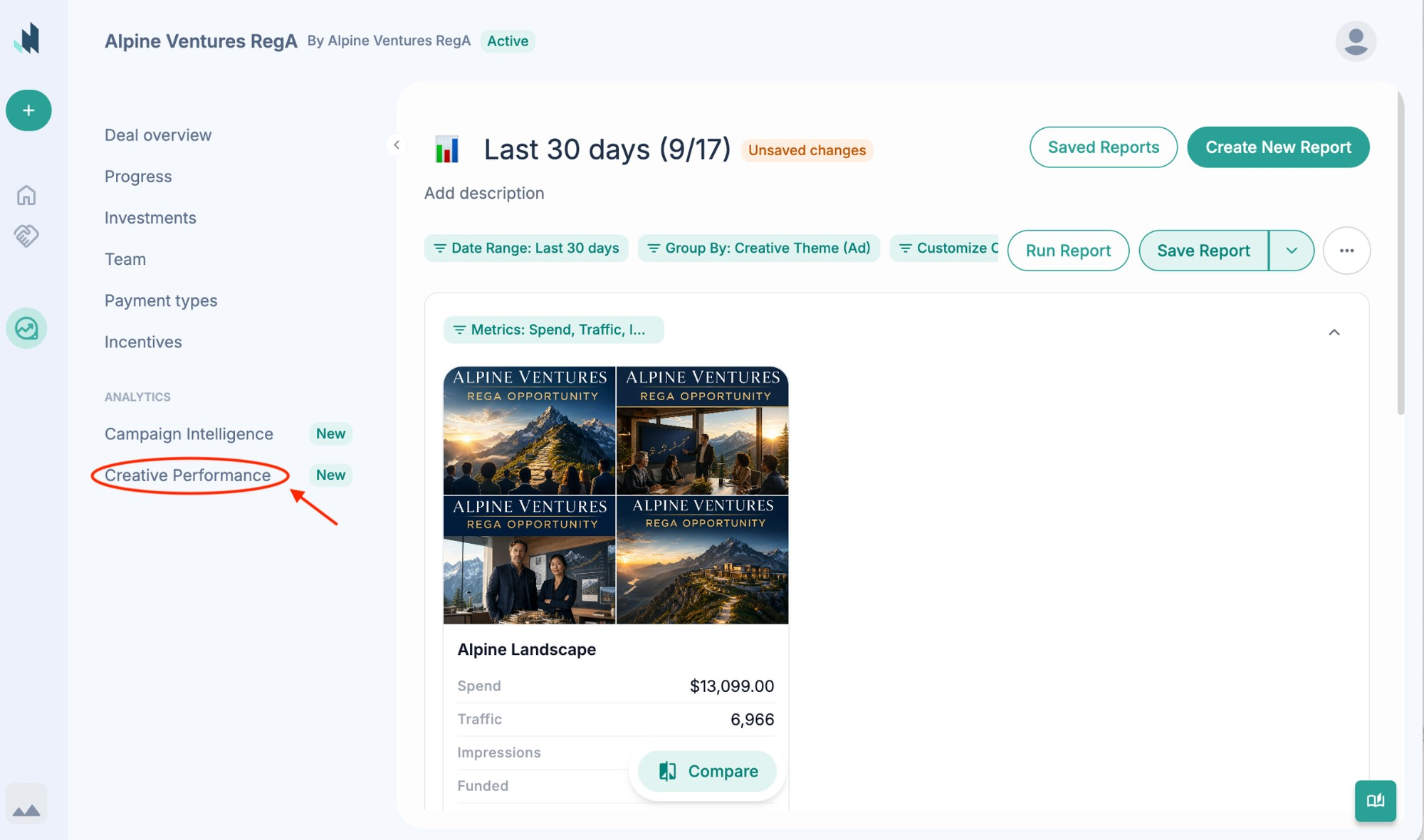
You used to have to ask your team which of your ads were working, and wait for an answer. Now you can see each ad with its thumbnail or video preview, plus its spend, return on ad spend and funded amount, and compare ads side by side to see which ones are bringing in investors.
Find it under Analytics, in the Reporting tab. Since August 26 you can also build and save your own reports. It's available on Marketing Services deals, and new ads can take a day or two to show data.
📌 What to do now: Compare your top ads and decide which ones to run more of. Nothing to set up, and it's already on for your deal.