Raise Capital
Products
Resources

May 31, 2026
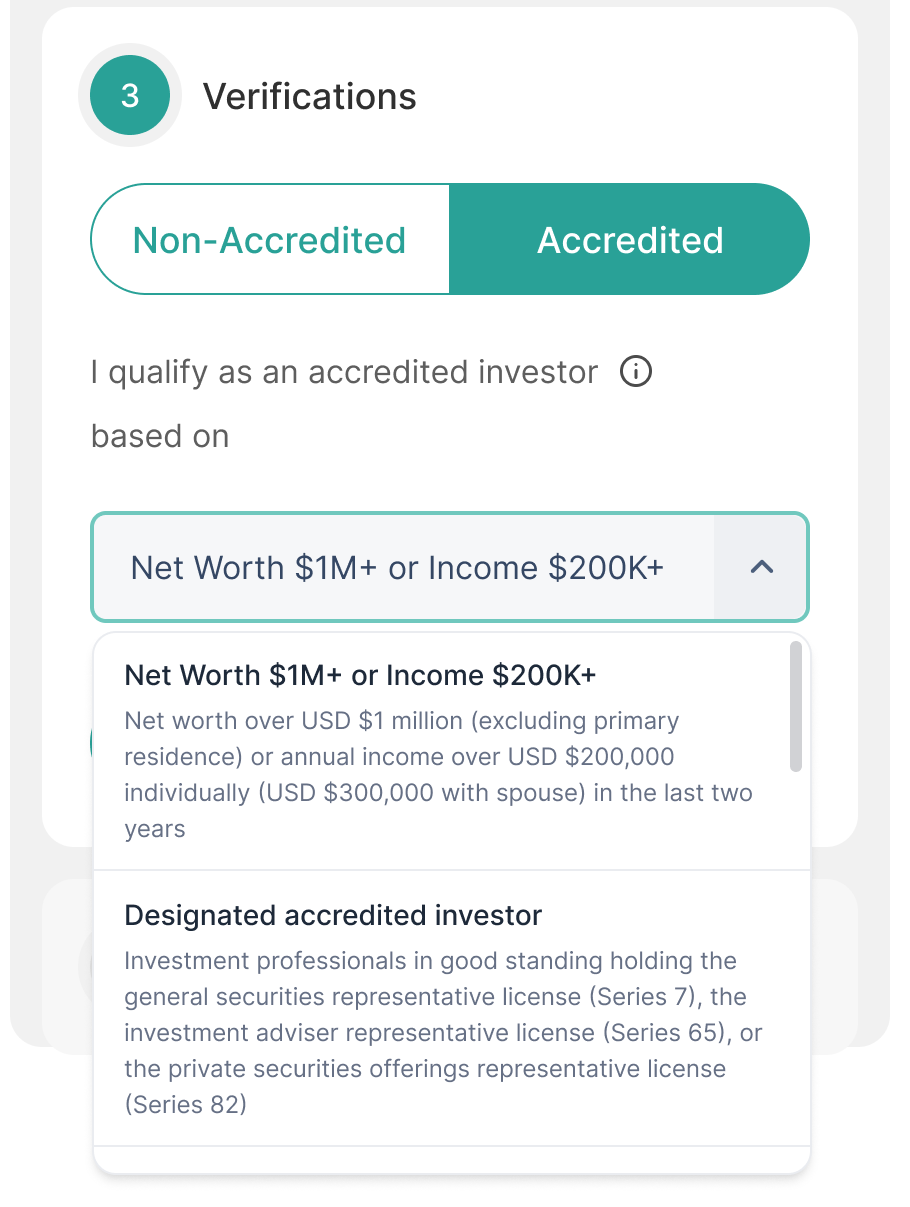
The old accreditation step was hard to use on a phone, with tiny buttons sitting under a wall of legal text. Now investors choose Accredited or Non-accredited with one toggle, and pick their basis from a dropdown if they're accredited. In testing, about 2.6% more investors finished investing.
Investors see this in your Reg A checkout. What they confirm hasn't changed, only how easy it is to confirm it, so there's nothing for you to set up.
📌 What to do now: No action required on your part. It's already on for your Reg A offering. You can tell your investors the checkout is quicker.
Dividends used to run on spreadsheets and manual steps, and you couldn't easily see who had been paid or who was still waiting. Now payouts go out by bank transfer (ACH), shareholders get a receipt, and you can see the status of each dividend round in your portal instead of asking us for an update every time.
Your DealMaker transfer agent team sets up each round from your shareholder list, and you fund it by wire. It's available for US shareholders, starting with a first group of issuers.
📌 What to do now: Planning a dividend? Talk to your DealMaker contact to get a round set up, and have your shareholder list ready.
Hard to tell if your ad spend is really working? Now one dashboard shows your spend, the amount you've raised and your return on ad spend (ROAS), with a funnel from traffic to leads to raised and your top channels, so you can see what's paying off without asking for a report.
Find it under Analytics in your deal portal. You can filter by date, and the data updates about every hour. It's available to team members with marketing access.
📌 What to do now: Check which channels give you the best return before you change your spend. Nothing to set up, and it's already on.
Note: This dashboard is an early step toward Campaign Intelligence, where all your results are heading.
Not sure what your newsletter placements are bringing in? You used to have to ask for a report and wait for it. Now one tab shows traffic, starts, funded amount, spend and ROAS for your placements, with a table by flight date, publisher and placement, so you can see which ones deliver.
Find it under Analytics, in the DealMaker Ad Network tab. You can filter by date, publisher or placement position. It covers your placements in the DealMaker ad network.
📌 What to do now: Check which publishers and placements bring in the most funded dollars before you book more. Nothing to set up.
Note: This dashboard is an early step toward Campaign Intelligence, where all your results are heading.